A few days ago, I wrote an introductory article about Nano Banana Pro.
The most common question I received was: "How do I use it? Is there a detailed tutorial?"
Yes, there is.
Just two days ago, Google quietly released a comprehensive usage guide. The author is Guillaume Vernade, a Developer Advocate at Google DeepMind—someone who truly understands this model inside and out.
Today, I've distilled the 10 most powerful "hidden techniques" from that guide.
Translated into plain English, just for you.
00 | The Golden Rules of Prompting: Stop Using "Keyword Stuffing"
Before diving into specific techniques, let's address the most important point first.
Nano Banana Pro is a model that "thinks."
This means it's not like previous image generation models that mechanically match keywords. It can genuinely understand your intent, reason about image composition, and even fill in details you didn't explicitly mention.
So, it's time to say goodbye to the old "keyword stuffing" style of prompting.
Old Midjourney-era prompt:
Sports car, neon, city, night, 8K
Nano Banana Pro-era prompt:
A futuristic sports car speeding through rainy Tokyo streets at night, neon signs reflecting on the wet pavement and car body, cinematic wide-angle shot.
The way you communicate with it determines the upper limit of your output quality.
Google's official guide provides three "golden rules":
1. Don't Regenerate—Just Modify
If an image is already 80% perfect, don't start from scratch.
Tell it exactly what you want to change.
For example: "This image is great, but change the lighting to sunset and make the text neon blue."
The model will make local adjustments on the original image rather than regenerating from scratch.
2. Be as Specific as Possible
Vague descriptions produce mediocre images.
Be explicit about subject, scene, lighting, and atmosphere.
Don't say "an old woman."
Say "an elegant elderly woman wearing a vintage Chanel-style suit."
3. Give It Context
Sufficient background information allows Nano Banana Pro to make better judgments.
Because it thinks.
For example, if you want to generate an image of a sandwich:
Basic prompt: "An image of a sandwich."
Advanced prompt: "A photograph of a sandwich shot for a high-end Brazilian food magazine."
Nano Banana Pro will automatically infer: elegant plating, shallow depth of field, professional lighting.
These three rules apply to all the techniques below.
01 | Text Rendering + Infographics
Early AI image generators struggled with text—especially Chinese characters.
Nano Banana Pro has solved this pain point.
Not only is text rendering clear and accurate, but it also supports multiple languages, including Chinese.
Quick note: Chinese text clarity is highly correlated with image resolution, so emphasize 2K or 4K quality in your prompts.
More practically, it can compress complex information into visual formats.
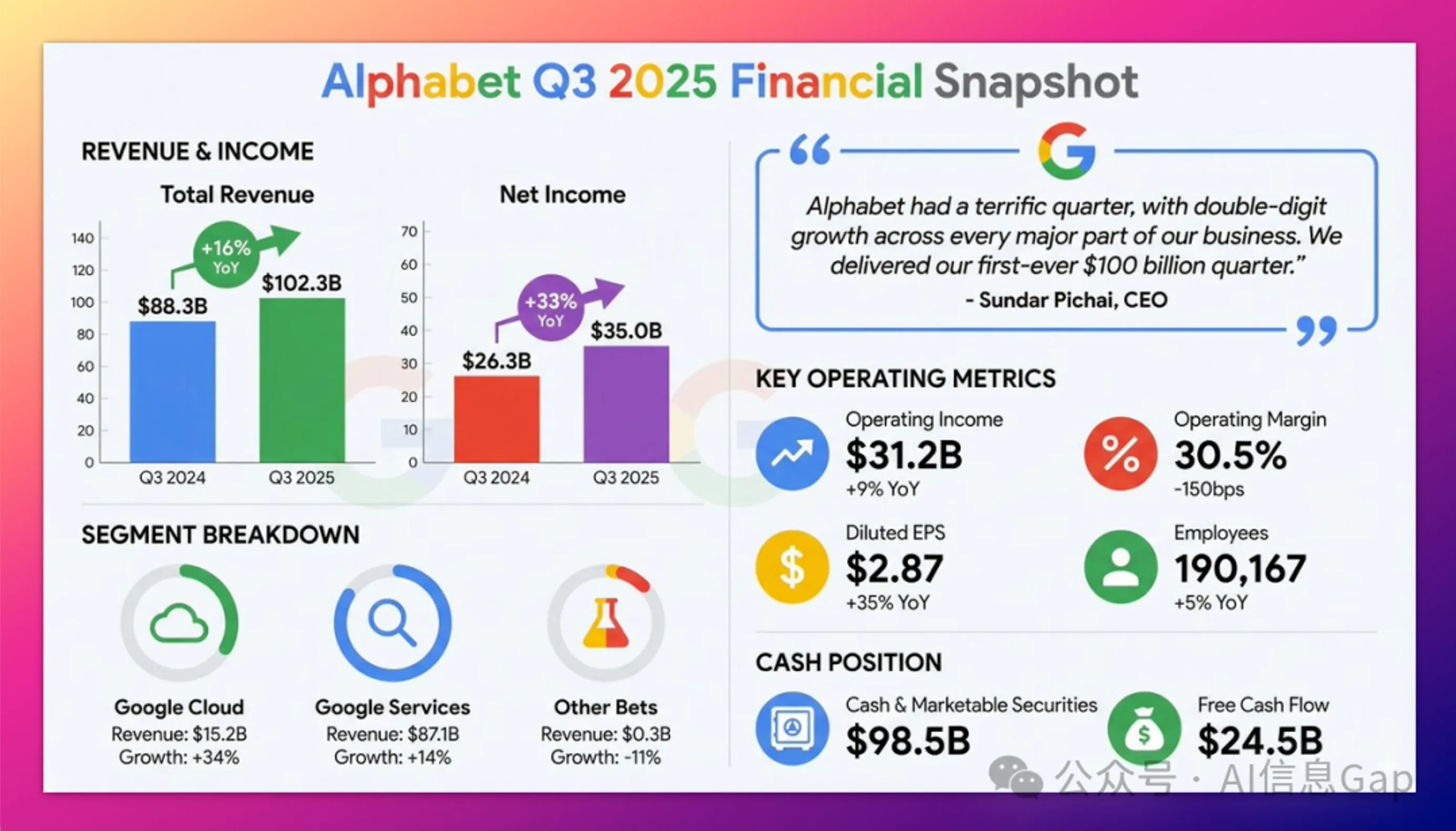
Financial Report Infographic
Upload a PDF financial report, then say:
"Based on this financial report, generate a clean, modern infographic summarizing key financial highlights. Include charts for 'Revenue Growth' and 'Net Profit,' and create a stylized quote box featuring the CEO's key insights."
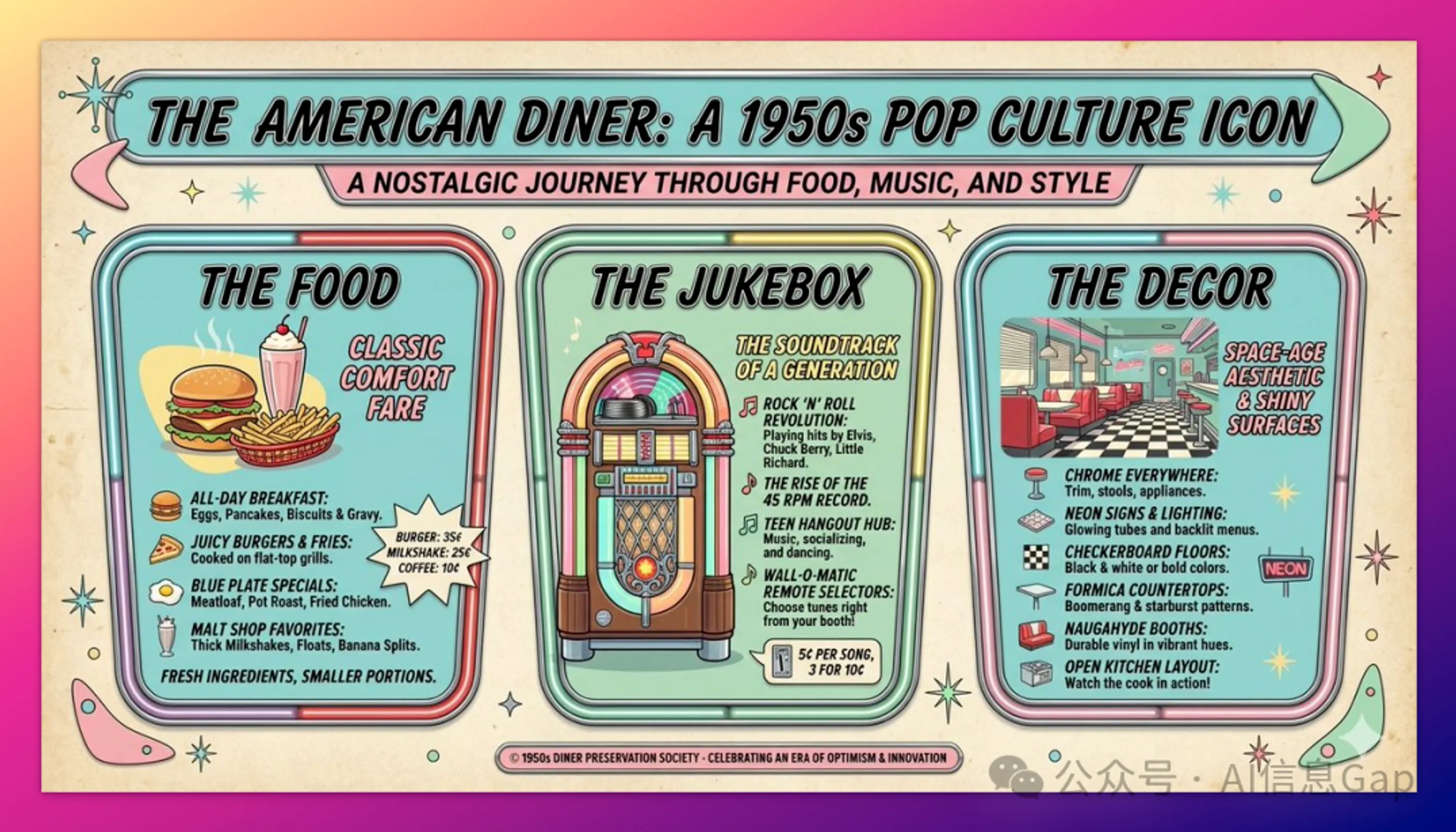
Retro Infographic
"Create a 1950s retro-style infographic about the history of American diners. Divide it into three sections: 'Food,' 'Jukebox,' and 'Décor.' All text must be clearly readable and match the era's aesthetic."
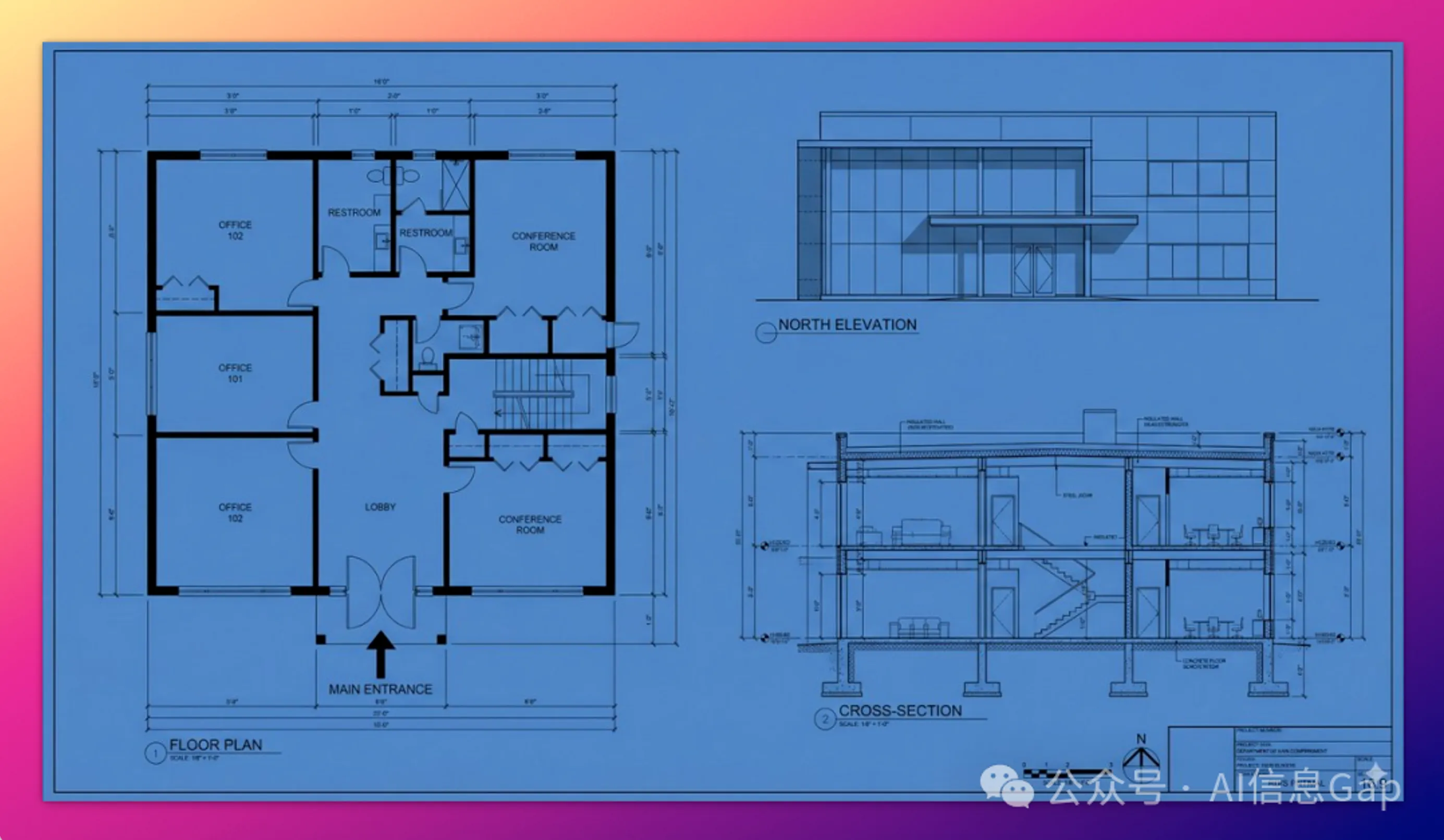
Technical Blueprint
"Create an orthographic architectural blueprint with floor plans, elevations, and cross-sections. Use technical architectural fonts to clearly label 'North Elevation' and 'Main Entrance.' 16:9 format."
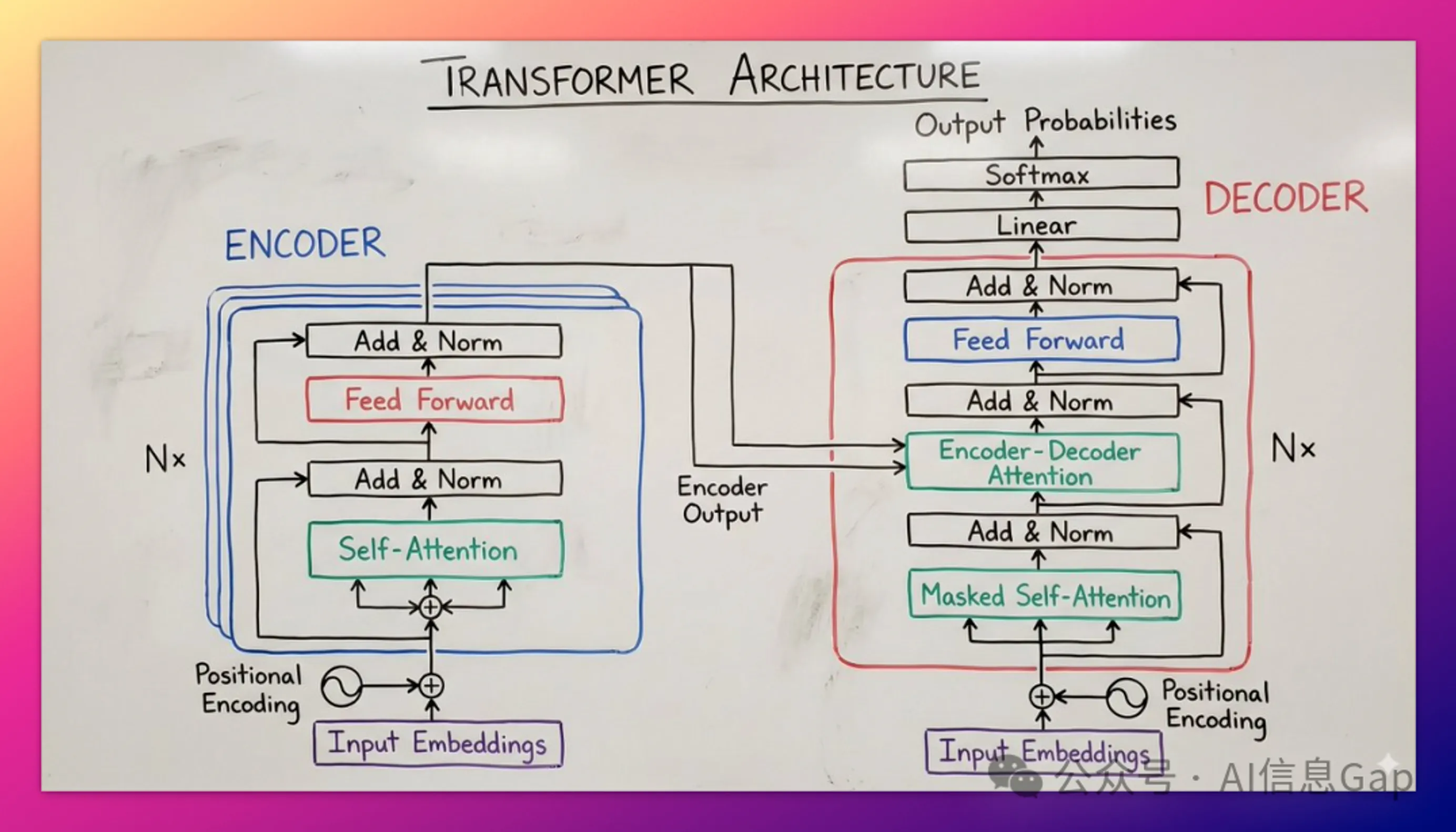
Whiteboard Teaching Diagram
"Illustrate the 'Transformer Neural Network Architecture' concept as a hand-drawn whiteboard diagram suitable for a university classroom. Use different colored markers to distinguish encoder and decoder modules, and clearly label 'Self-Attention' and 'Feed-Forward Network.'"
02 | Character Consistency + Viral Thumbnails
Content creators, rejoice.
Nano Banana Pro supports up to 14 reference images and can maintain consistency for up to 5 characters.
This means you can achieve "character lock."
Place specific people or characters into entirely new scenes without distortion.
Three Best Practices:
- Character Lock: Maintain this person's facial features exactly as in Image 1.
- Expression/Pose: While maintaining character consistency, describe the emotional or pose changes you want.
- Viral Composition: Combine the character, eye-catching graphics, and text in a single generation.
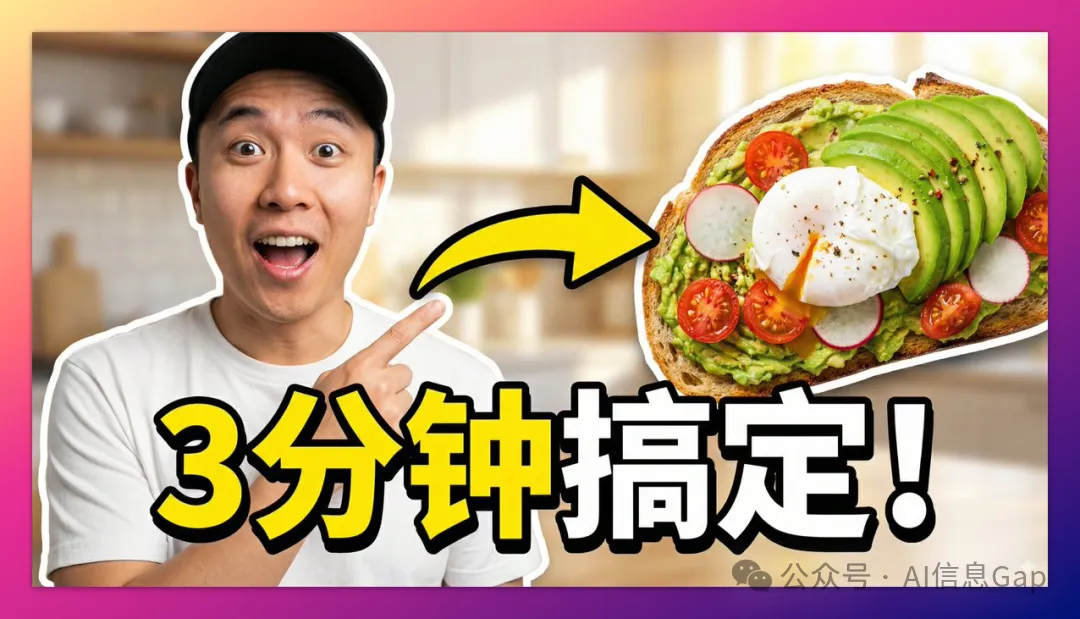
Viral Video Thumbnail
"Design a viral video thumbnail using the person from Image 1. Facial consistency: maintain exactly the same facial features as Image 1, but change the expression to excited and surprised. Pose: place the person on the left, pointing to the right. Subject: on the right, place a high-definition image of appetizing avocado toast. Graphics: add a thick yellow arrow connecting the finger to the toast. Text: overlay large pop-style text '3 分钟搞定!' in the center with white bold outline and drop shadow. Background: blurred bright kitchen. High saturation and contrast."
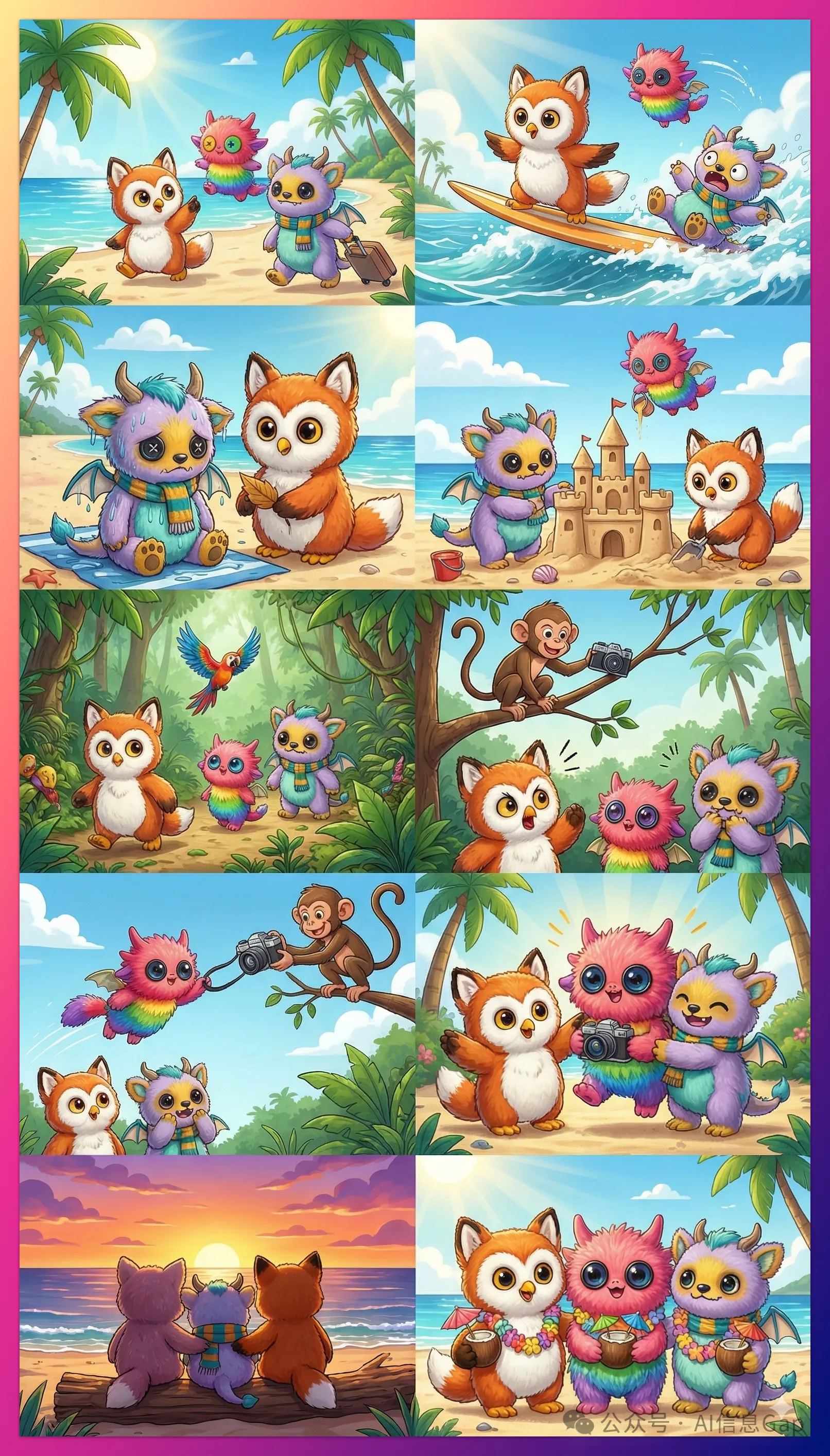
Plush Toy Children's Book
Upload 3 images of different plush toys, then say:
"Create an engaging 10-episode story with these 3 plush friends going on a tropical vacation. The story should be captivating throughout with emotional highs and lows, ending with a heartwarming conclusion. The 3 characters' costumes and identities should remain consistent across all images, but their expressions and angles should vary. Ensure each character appears only once in each image."
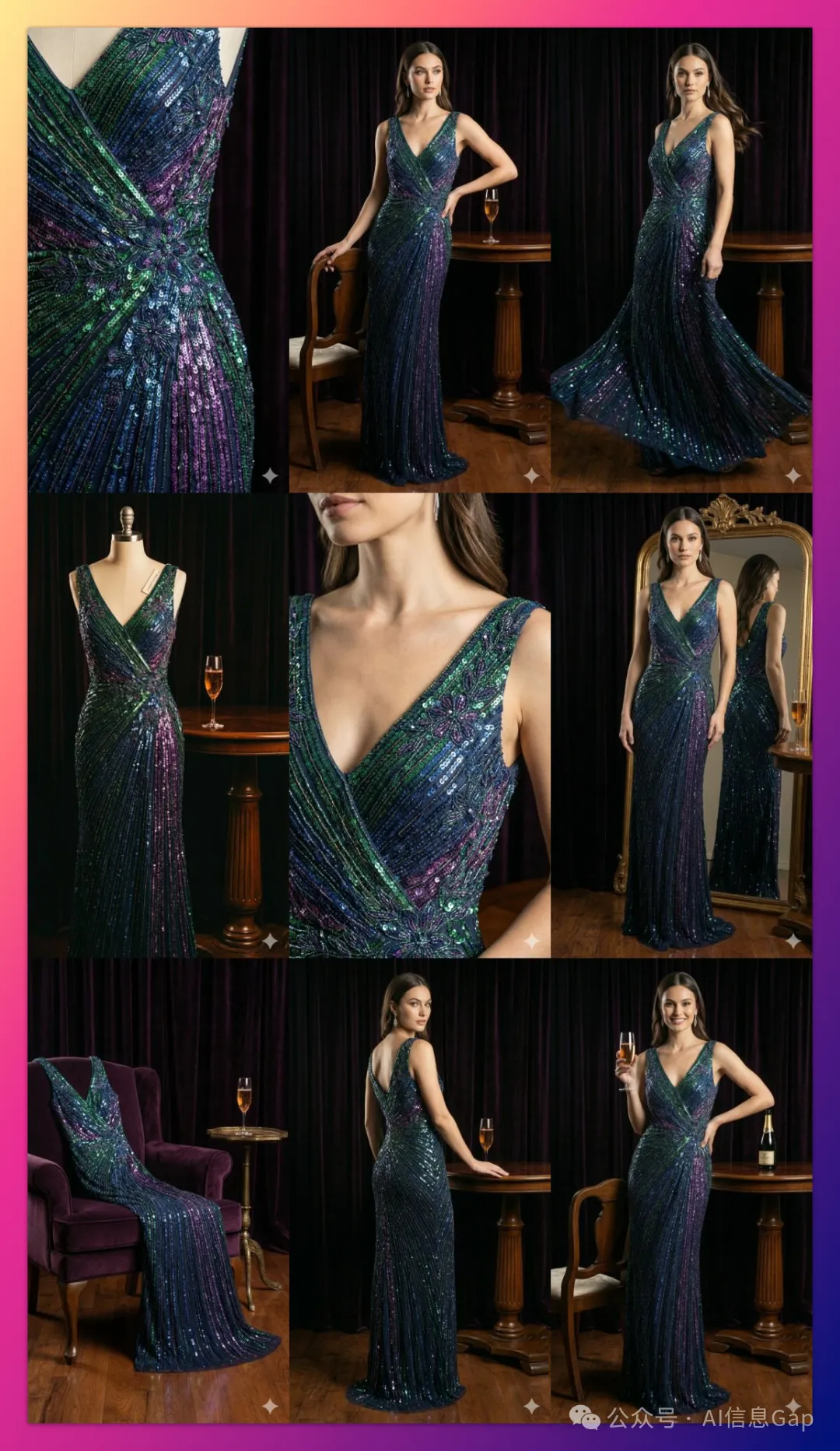
Batch Brand Asset Generation
Upload 1 product image, then say:
"Create 9 stunning fashion editorial shots, like award-winning fashion magazine work. Use this image as a brand style reference but add details and variations to showcase professional design. Please generate one at a time."
03 | Leverage Google Search
One of the most powerful capabilities.
Nano Banana Pro can call Google Search to generate images based on real-time data, current events, or fact-checking.
This significantly reduces hallucinations on time-sensitive topics.
You don't need to research or compile data—the model does it automatically.
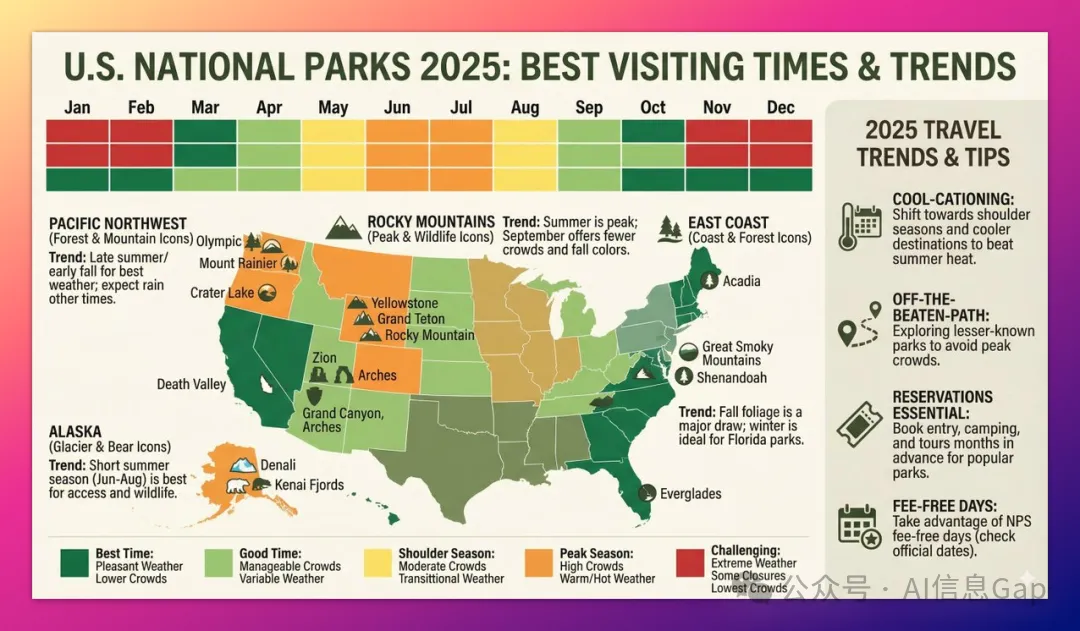
Data Visualization
"Based on current tourism trends, generate an infographic showing the best times to visit US National Parks in 2025."
04 | Advanced Editing: Restoration, Colorization, Style Transfer
Nano Banana Pro can perform localized image editing through conversation.
Including restoration, colorization, and style transfer.
No masks required.
Just natural language descriptions.
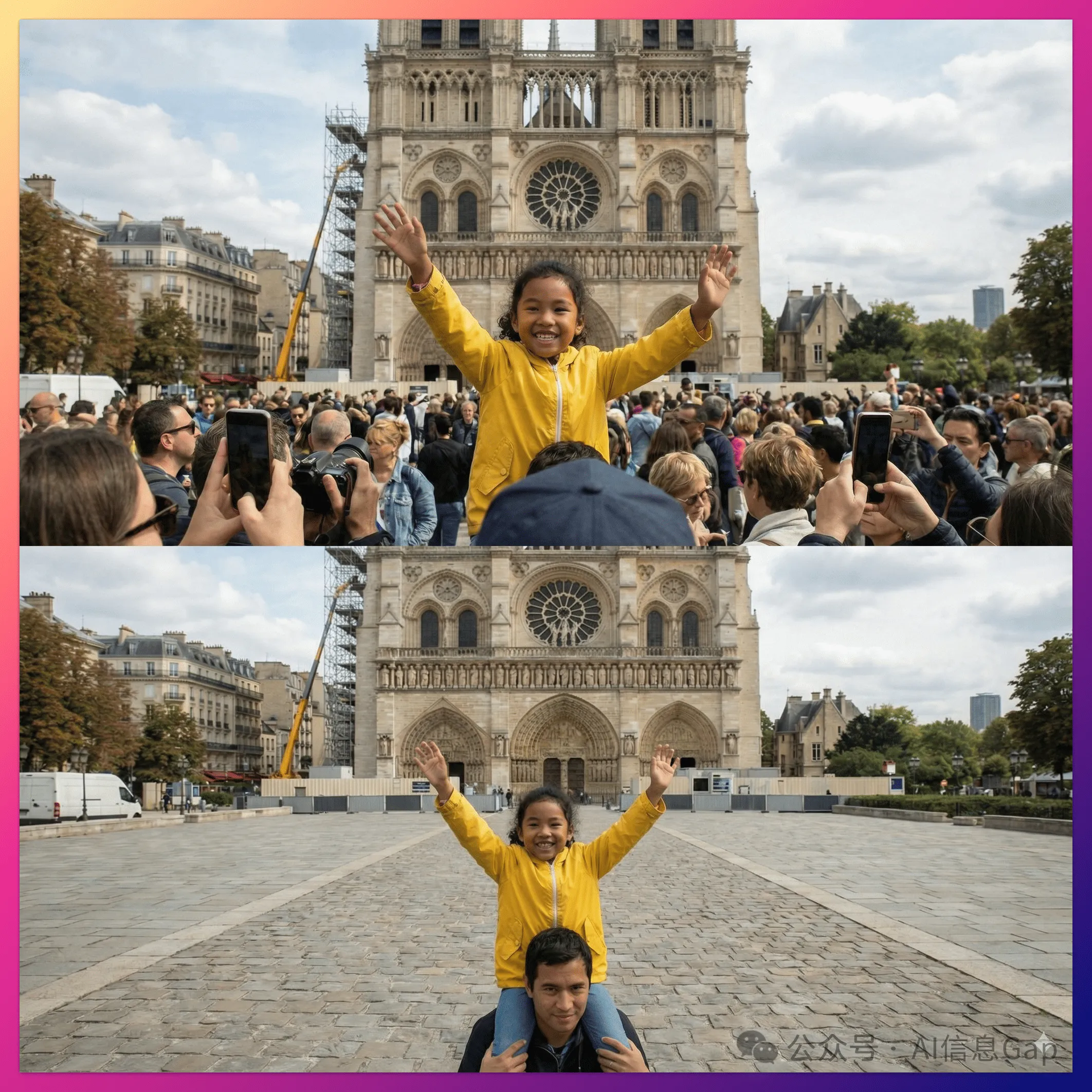
Background Removal
"Remove all tourists from the background of this photo and fill naturally with textures matching the surrounding environment (cobblestones and shop fronts)."
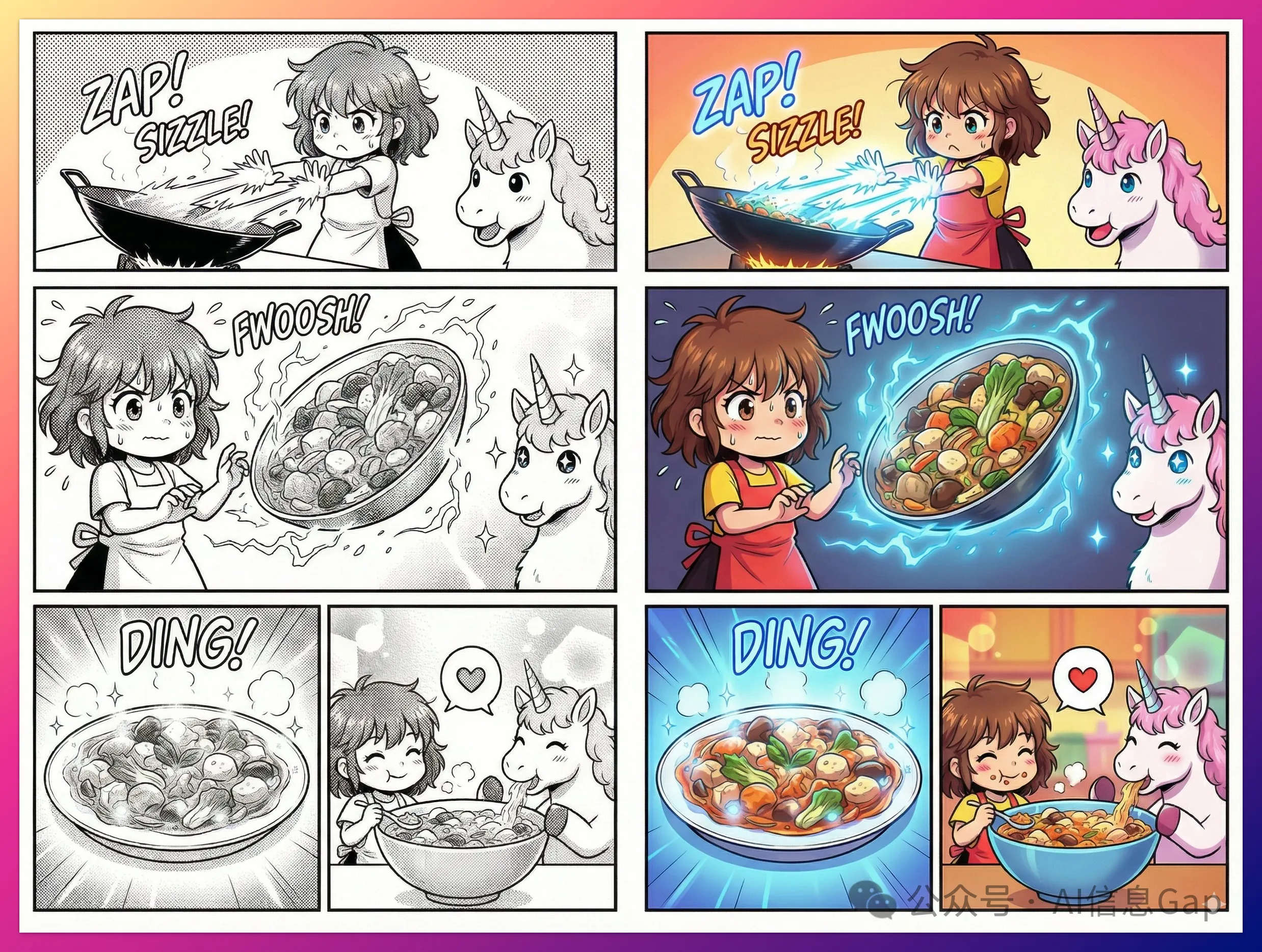
Comic Colorization
Upload a black and white comic page, then say:
"Colorize this comic page. Use vibrant anime-style colors. Apply glowing neon blue effects for energy beams, and use official color schemes for character costumes."
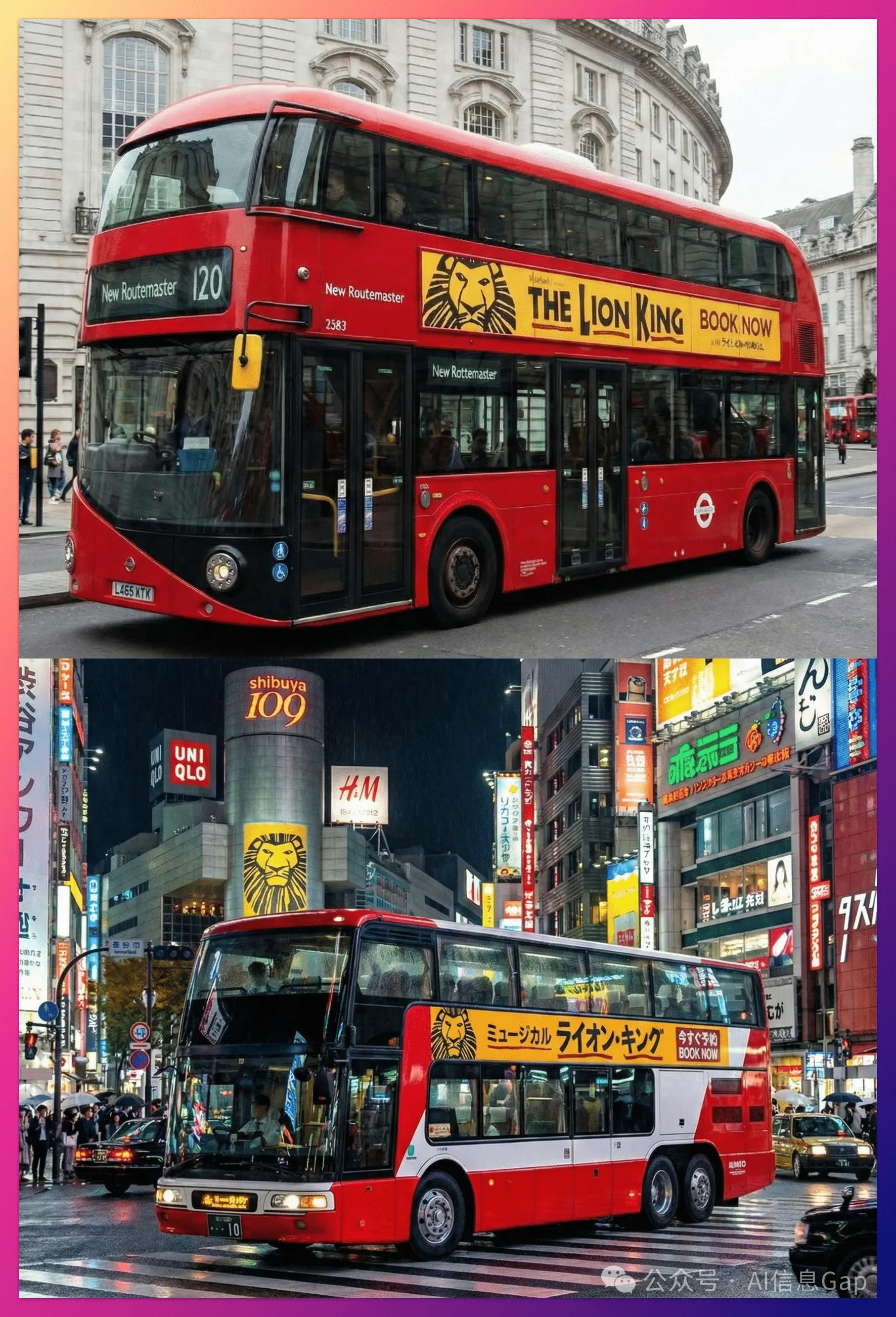
Background Replacement
Upload a London bus stop advertisement, then say:
"Localize this creative to a Tokyo setting, including translating the tagline to Japanese. Change the background to a bustling Shibuya street at night."
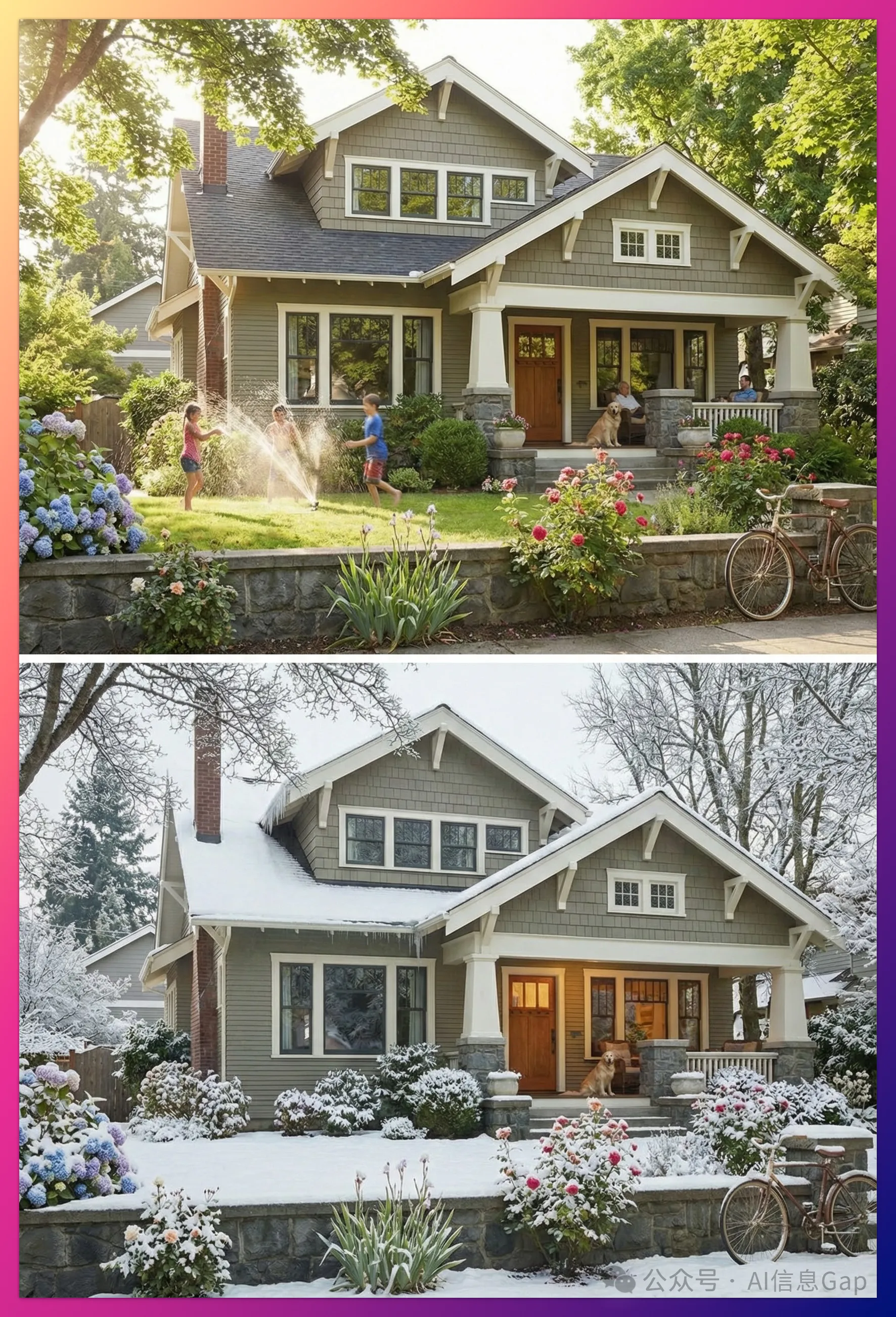
Season Transformation
Upload a summer house photo, then say:
"Transform this scene to winter. Keep the house architecture unchanged but add snow on the roof and yard, and adjust the lighting to a cold, overcast afternoon."
If you're curious about other image editing techniques, check out our guide on AI image parameters for beginners.
05 | 2D to 3D Dimension Conversion
Here's where the real productivity boost comes in.
Converting 2D floor plans to 3D visualizations.
Incredibly powerful.
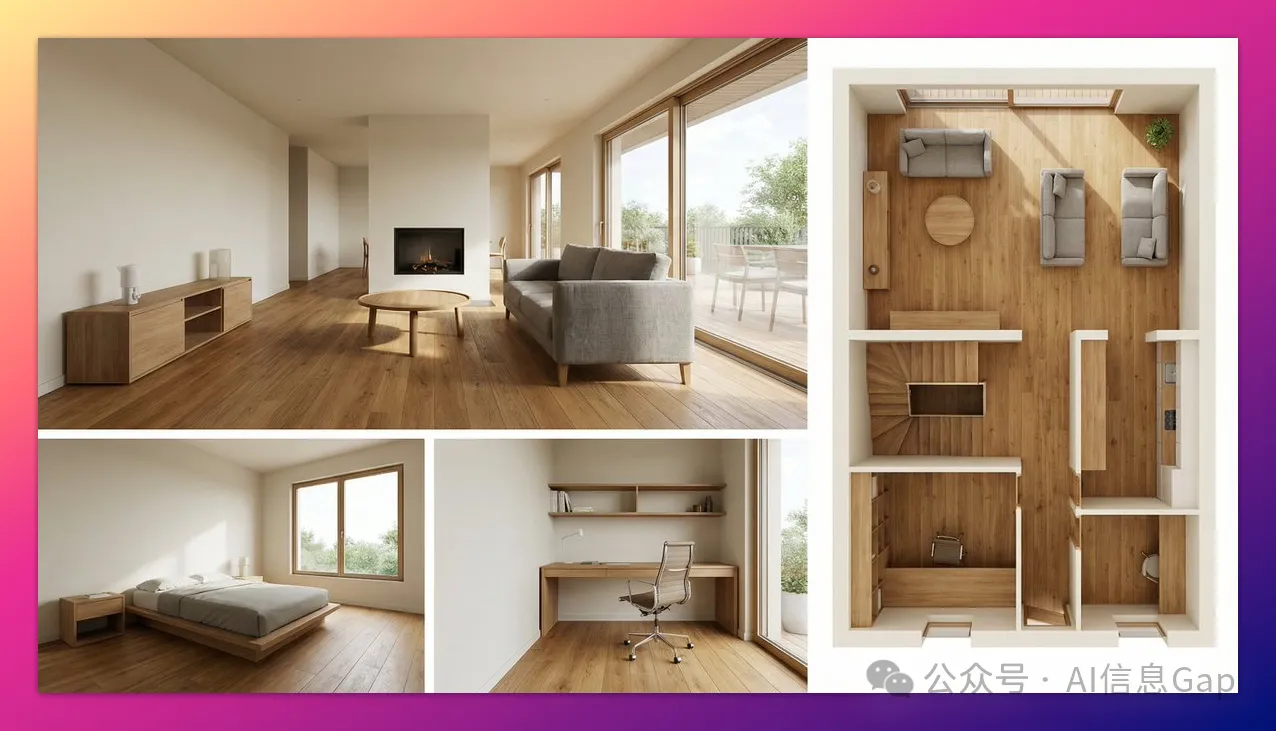
Floor Plan to 3D Interior Design
"Based on the uploaded 2D floor plan, generate a professional interior design presentation board. Layout: one large main image at the top (wide-angle perspective of living room), three smaller images below (master bedroom, study, 3D overhead floor plan view). Style: modern minimalist, warm oak flooring, cream walls. Quality: photorealistic rendering, soft natural lighting."
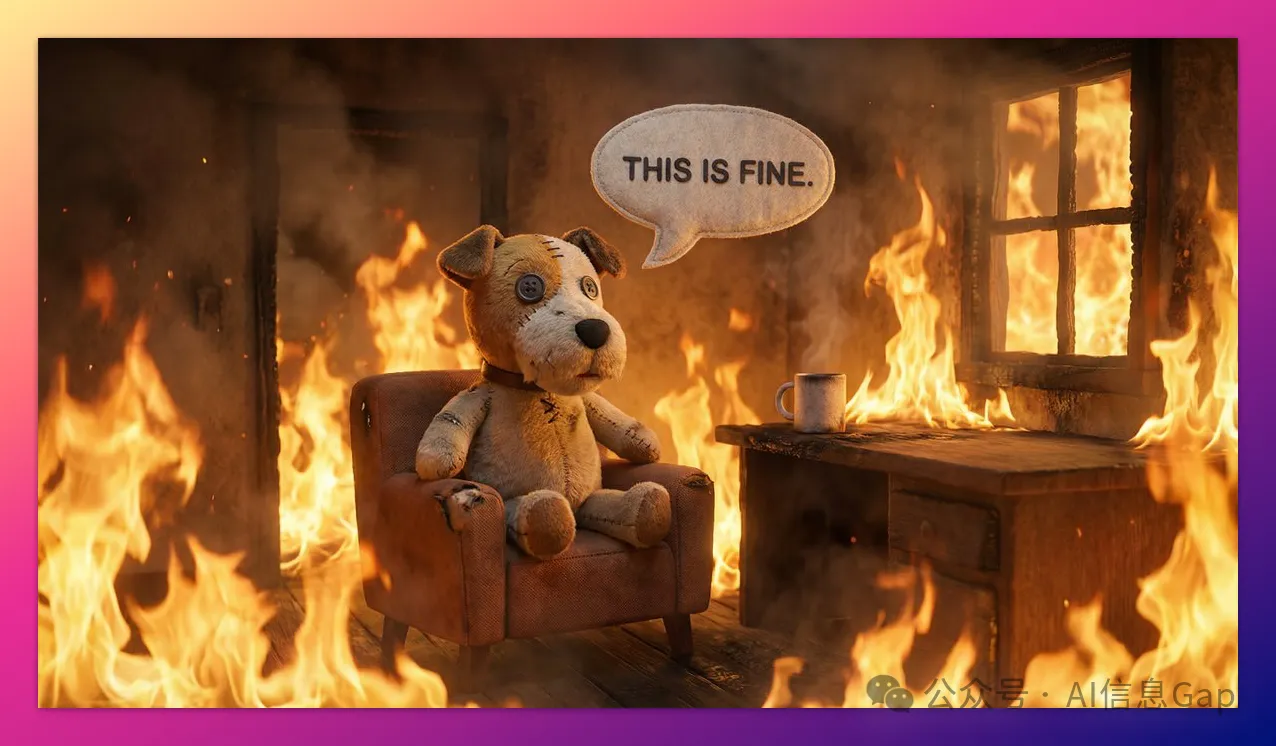
3D Meme
"Transform the 'This is Fine' dog meme into a photorealistic 3D render. Keep the composition unchanged, but make the dog look like a plush toy and replace the fire with realistic flame effects."
06 | High-Resolution Output + Material Textures
Nano Banana Pro supports native high resolution from 1K to 4K.
Perfect for large-format images and texture work.
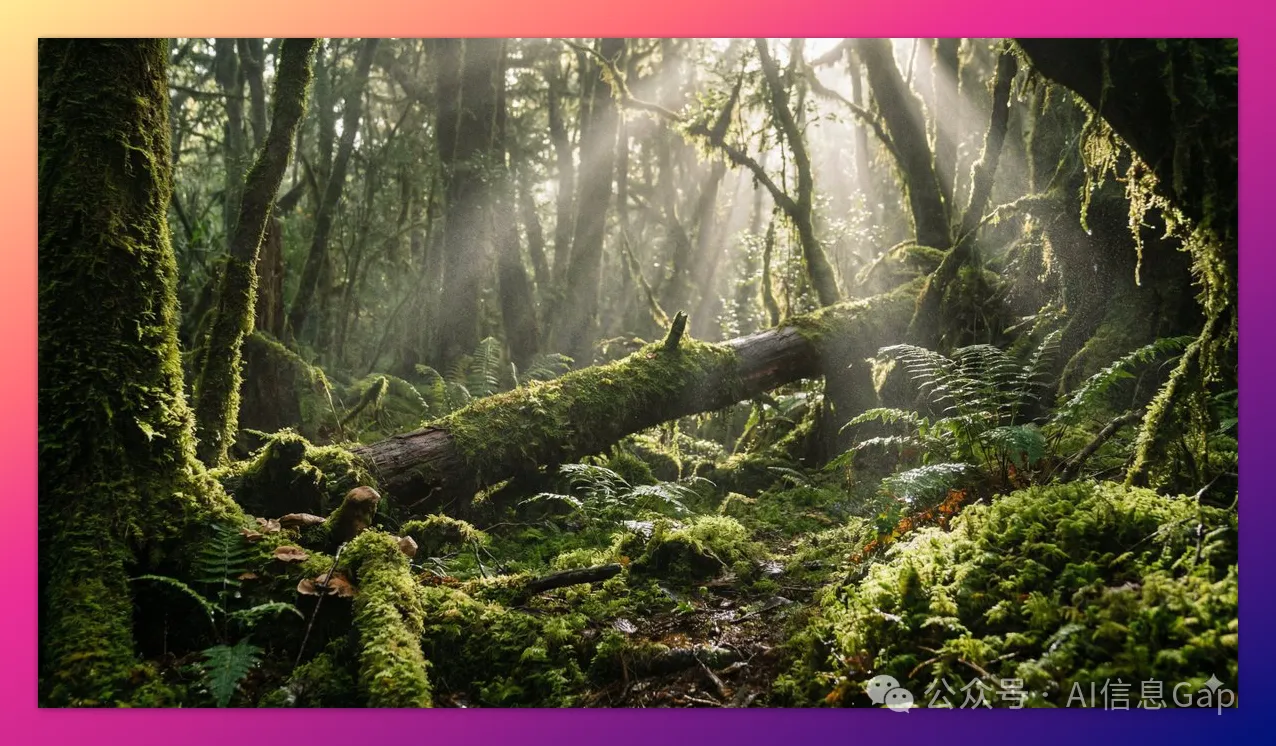
4K Wallpaper
"Create a breathtaking mossy forest floor environment image. Complex lighting and detailed textures, with every moss fiber and light beam rendered pixel-perfect. Suitable as a 4K wallpaper."
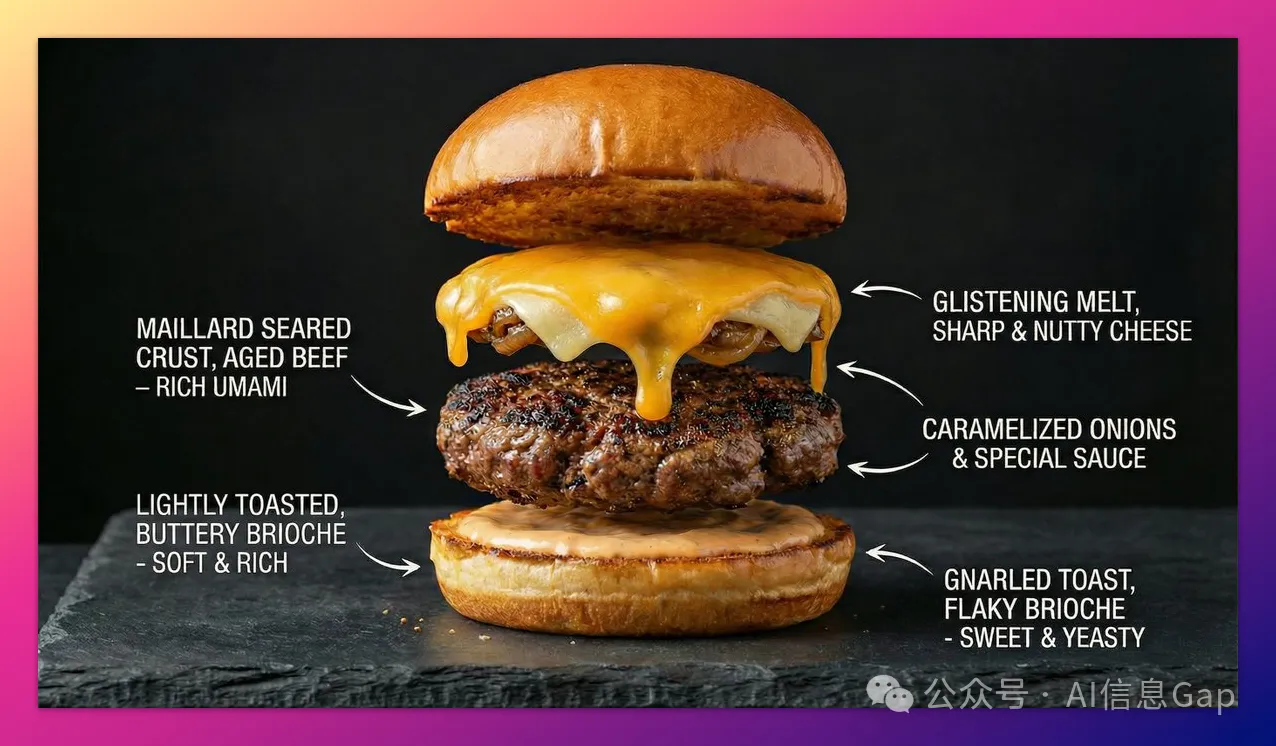
Food Deconstruction
"Create a hyperrealistic food burger deconstruction infographic showing the toasted brioche bun texture, the seared crust of the patty, and the glossy melted cheese. Label each layer with flavor descriptions."
For more tips on creating professional-quality images, read our article on mastering hyper-realistic AI portraits.
07 | Thinking and Reasoning
Nano Banana Pro has "thinking mode" enabled by default.
It first reasons through a sketch, then creates the final artwork.
Small detail: the sketch reasoning phase is free.
Whiteboard Problem Solving
"Solve this equation on a whiteboard: log(x²+1)(x⁴-1)=2. Show the steps clearly."

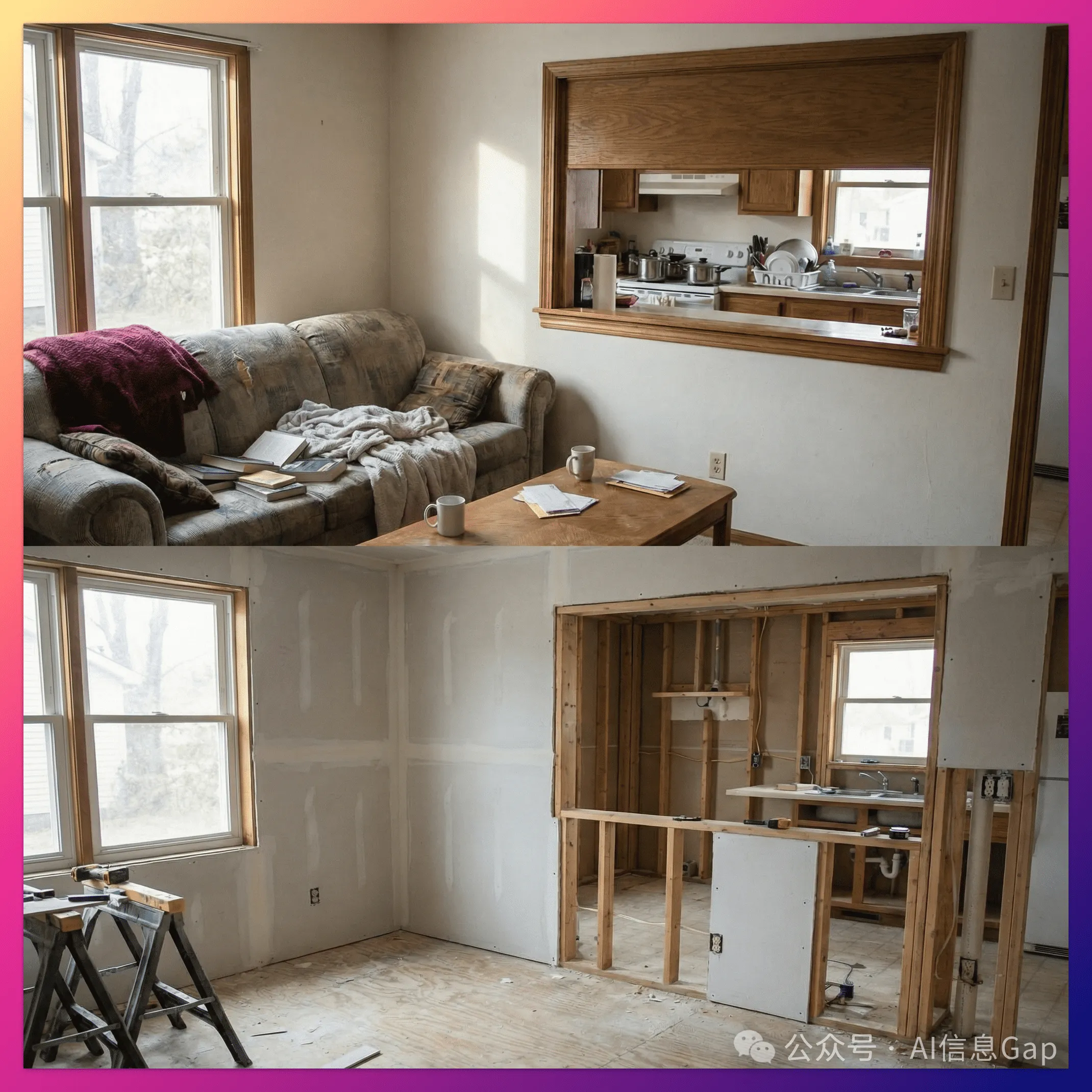
Visual Reverse Engineering
Upload a renovated room photo, then say:
"Analyze this image and generate a 'before construction' image showing the framework structure and unfinished drywall."
08 | One-Click Storyboards + Concept Design
You can create coherent stories with consistent style in a single session.
Luxury Advertisement Storyboard
"Create a captivating 9-episode story featuring one man and one woman, for an award-winning luxury handbag advertisement. The story should have emotional ups and downs, with the final image being an elegant freeze-frame of the heroine with the logo. Consistent style throughout, each frame in 16:9 landscape format."
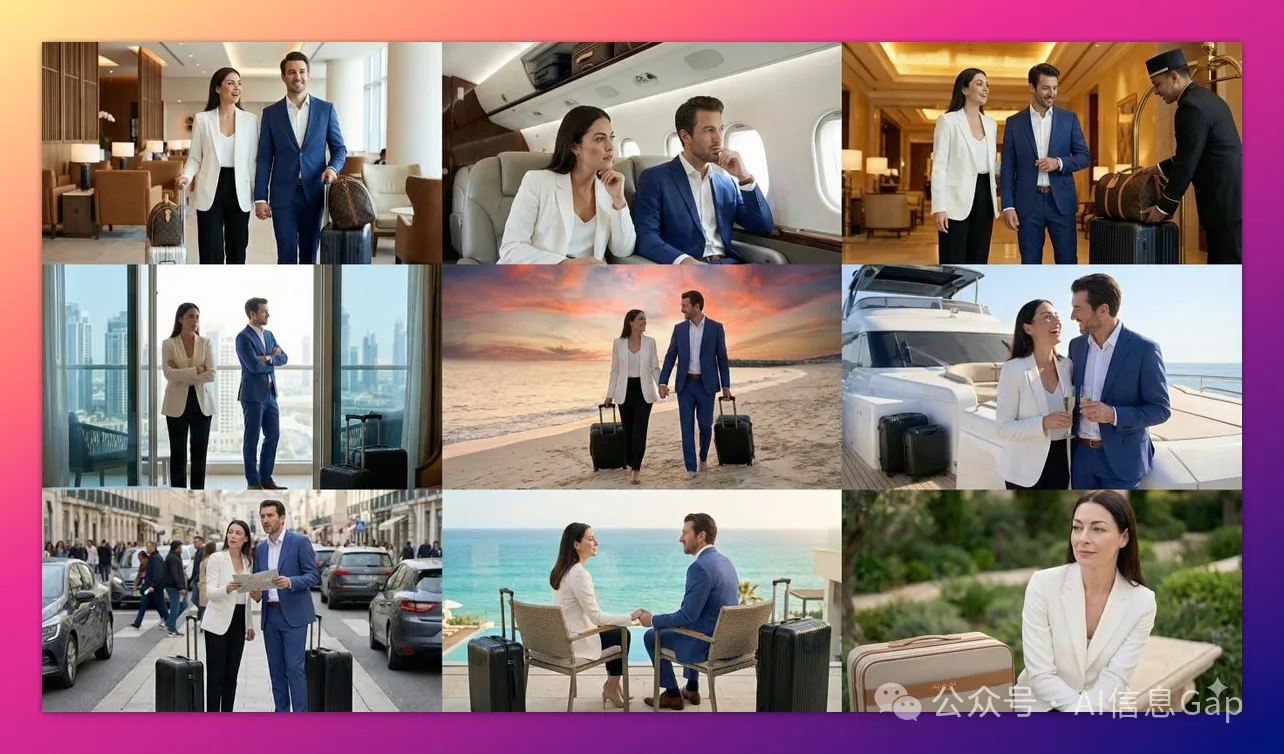
The cinematic quality is stunning.
For those interested in storytelling with AI images, check out our guide on AI comic books and graphic novels.
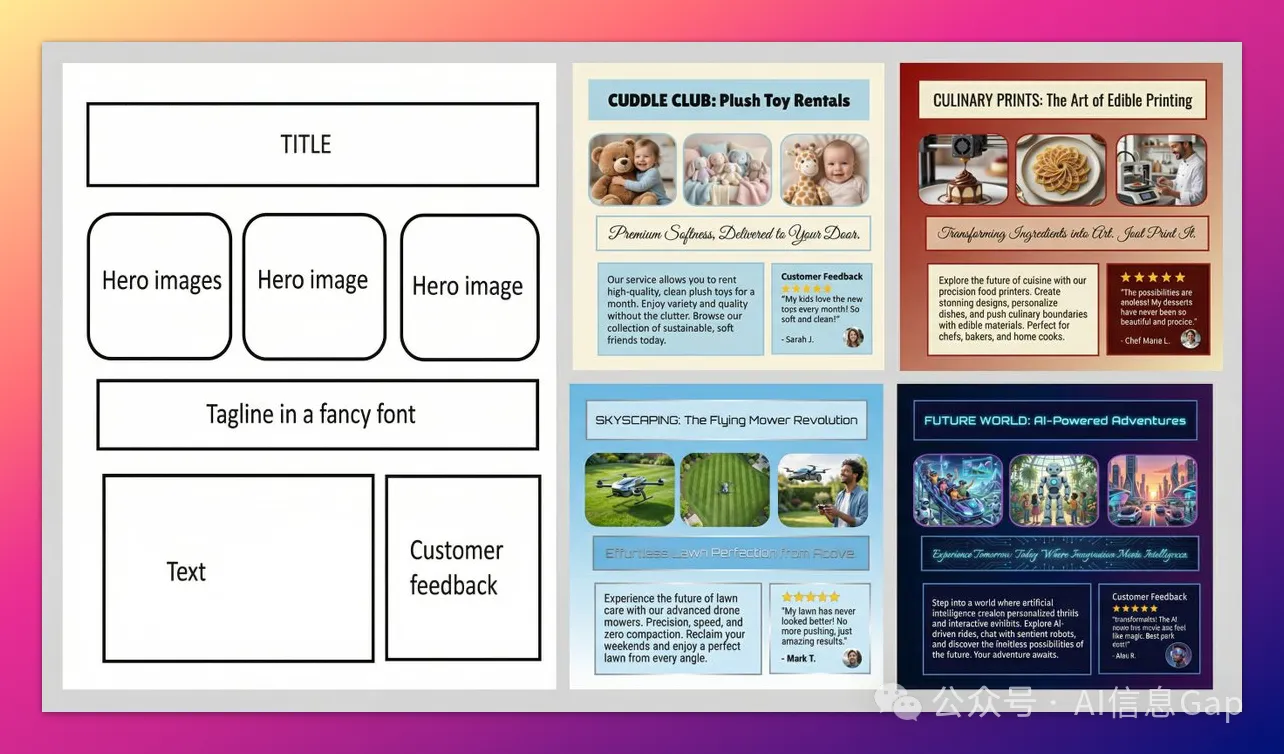
09 | Structure Control + Layout Guidance
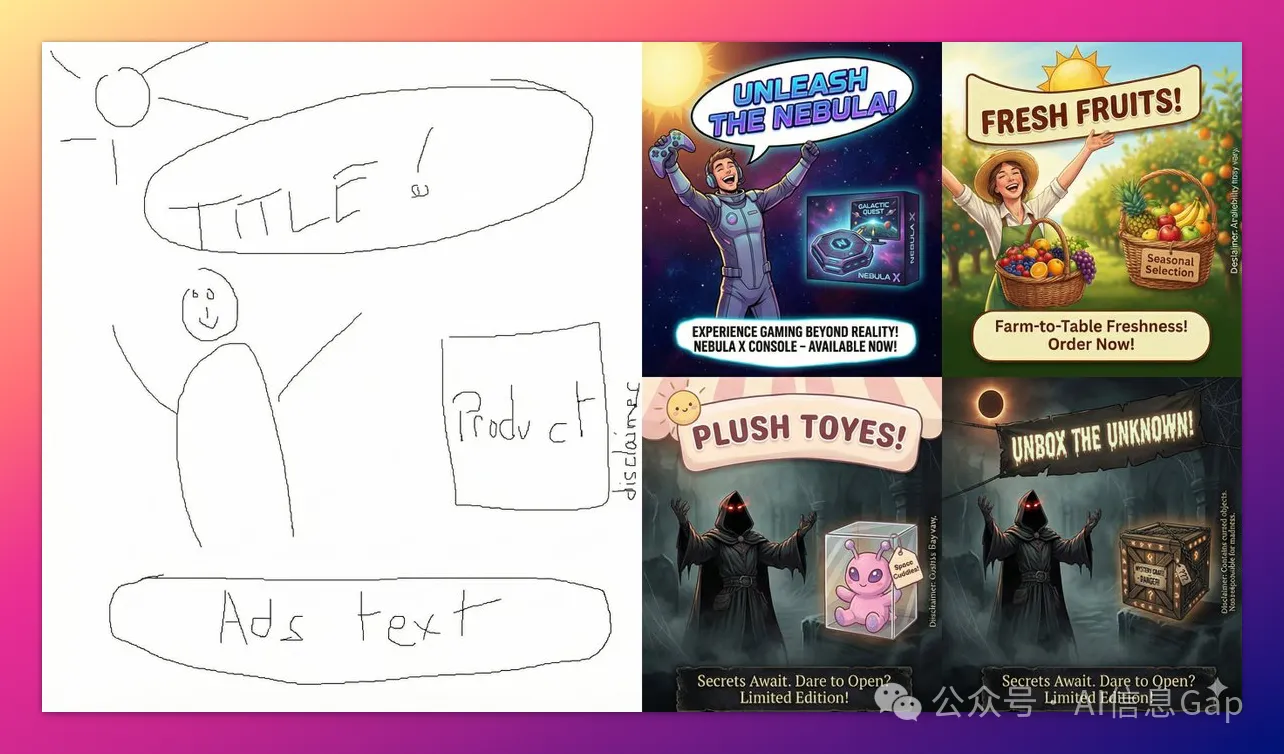
Upload sketches, wireframes, or grid images to control composition.
For example:
- Sketches: Upload a hand-drawn sketch to precisely define where text and objects should be placed.
- Wireframes: Upload a screenshot or wireframe of an existing layout to directly generate high-fidelity UI designs.
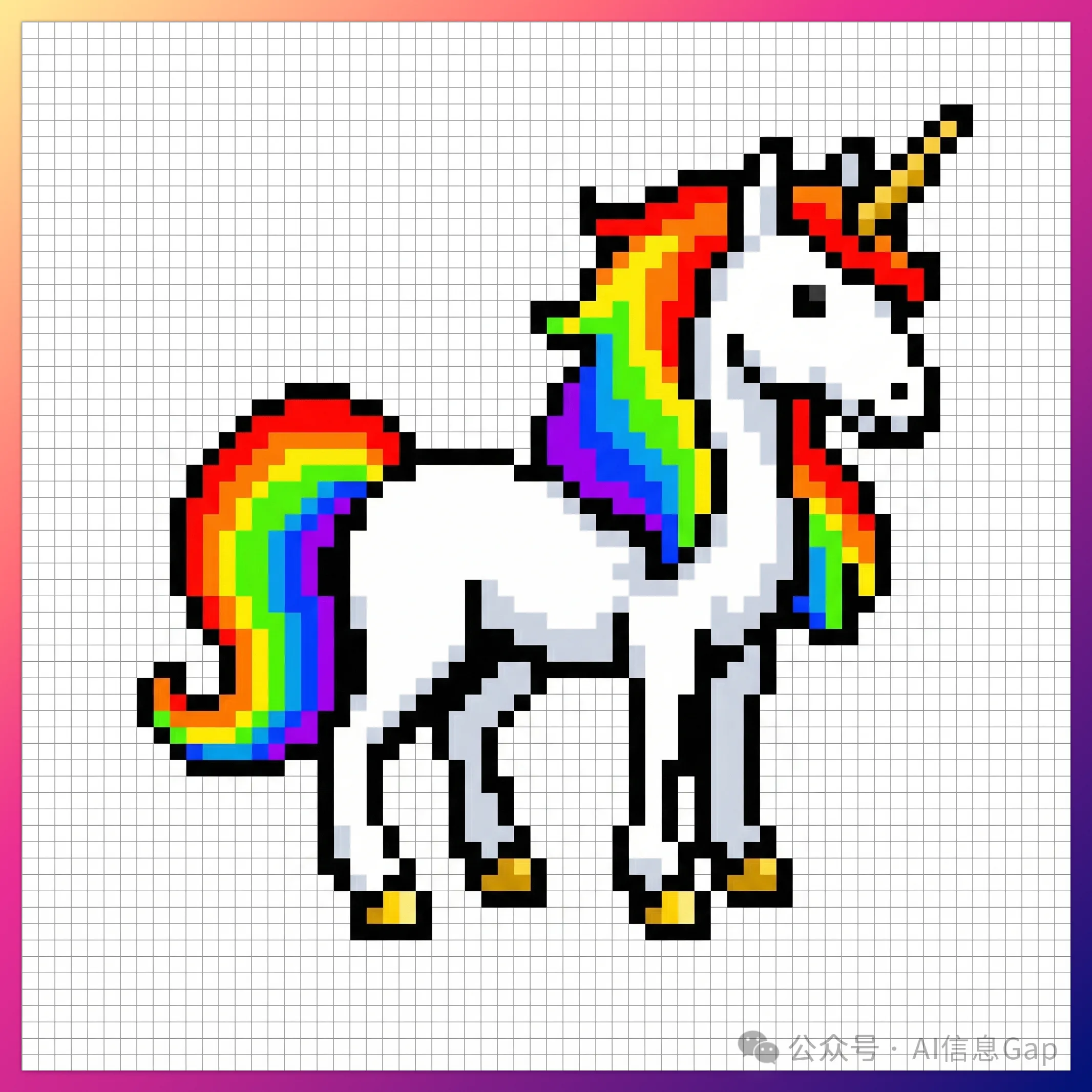
- Grids: Upload grid images to force the model to generate assets following the grid structure. Especially suitable for pixel games or LED displays.
Hand-Drawn Sketch to Advertisement
"Based on this sketch, generate an advertisement for XX product."
Wireframe to UI
"Based on this wireframe, generate a high-fidelity UI design for XX product."
Pixel Art
"Generate a unicorn pixel art sprite within this 64x64 grid, using high-contrast colors."
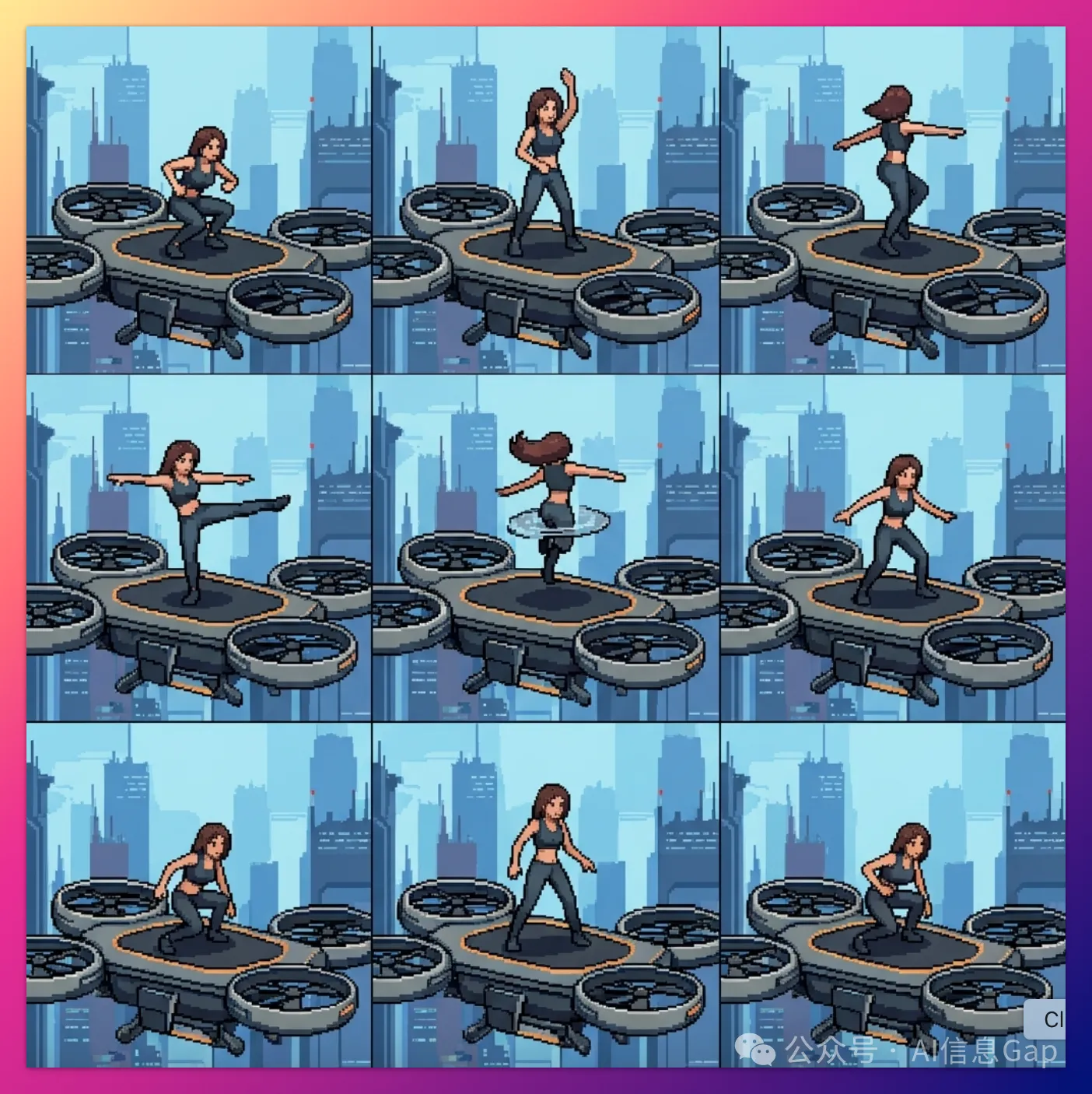
Frame-by-Frame Animation
"A woman doing a backflip on a drone, frame-by-frame animation, 3x3 grid, sequential animation. Generate strictly following the reference image structure."
Conclusion
Three months ago, Nano Banana made 13 million people go crazy creating plush toys.
Three months later, Nano Banana Pro can handle serious work.
Any one of these 10 techniques is incredibly practical.
Bookmark this article and unlock them one by one.
Ready to try these techniques yourself? Start creating with Nano Banana Pro on Oh My Images — it's free to get started with generous daily credits.
If you want to learn more about prompt engineering fundamentals, check out our comprehensive prompt engineering guide for AI artists.
Source: This article is translated and adapted from the original Chinese article Nano Banana Pro 10大隐藏技巧, based on the official Google DeepMind usage guide by Guillaume Vernade.